Why your A/B test can't find the element (it rendered late)
Your variation fires, you query for the element, and it is not there. So your code does nothing, or it throws, and the test looks dead on the pages that matter most. The element is real. It just arrived after you went looking for it.
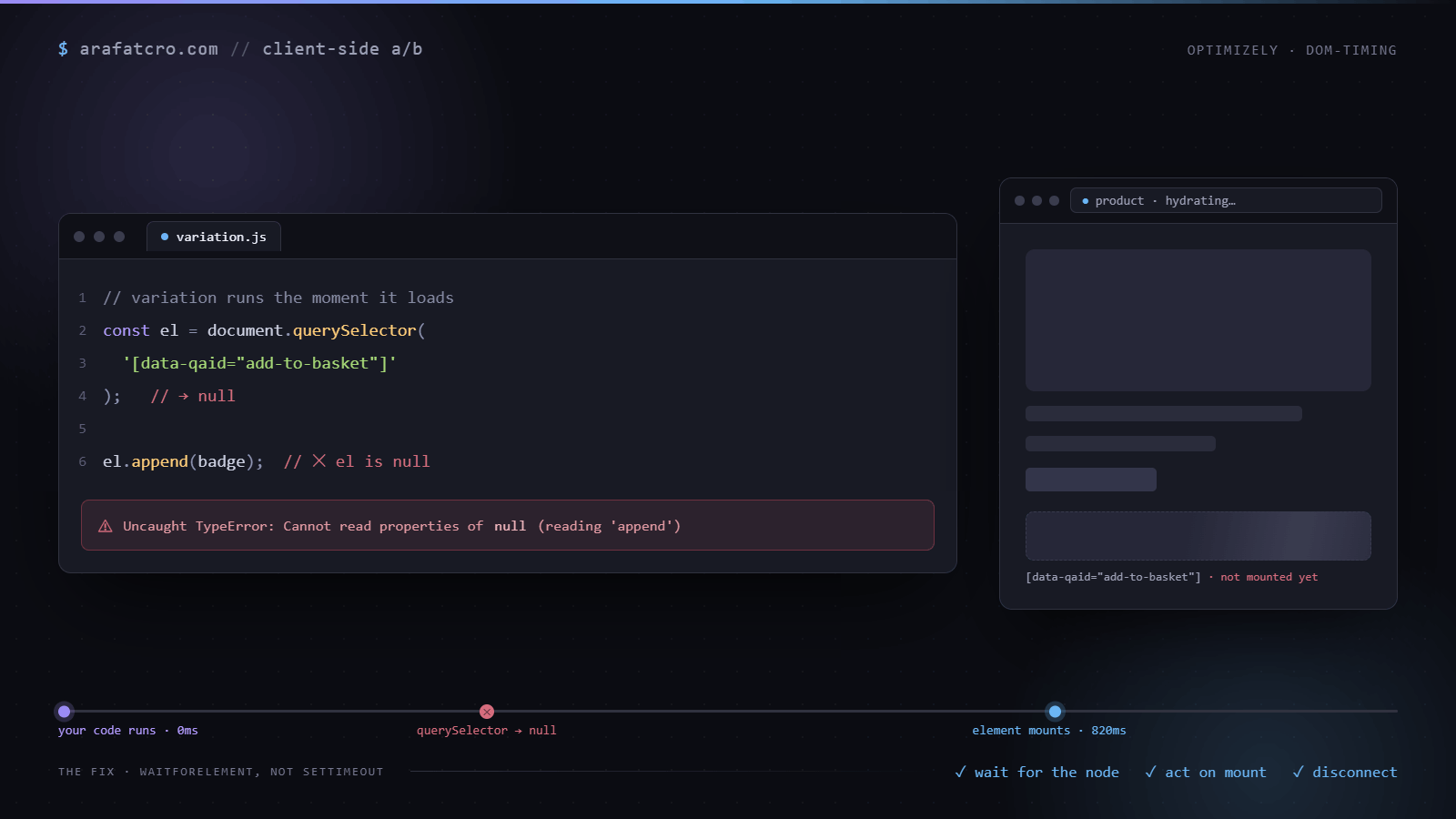
The symptom
The selector returns null. The target gets fetched from an API, or rendered after hydration, or loaded lazily as the user scrolls, and your variation ran before any of that finished. Sometimes a refresh works and sometimes it does not, which is the sign you are racing the page rather than reading it.
Why a fixed timeout is the wrong tool
The usual patch is a setTimeout. Wait a second and a half, then run. It is a guess dressed up as a fix. Too short and you still miss the element on a slow connection. Too long and you flash the old state, or the user has already scrolled past. Networks and devices vary wildly, so whatever number you pick is wrong for a real slice of your traffic.
The fix: wait for the element, then act
Check the DOM now, and if the element is missing, watch for it and act the moment it appears. Give the watcher a timeout so it gives up cleanly instead of running forever on a page where the element never comes. If you already carry a poller in your library, this is the same idea. The approach is tool agnostic, so the same pattern works in Optimizely, VWO, Convert, or Adobe Target.
// Recommended starting point. Swap in your pollerLite or waitForElement.
// Wait for an element instead of guessing a delay. Resolves when it appears, or bails.
function waitForElement(selector, { timeout = 5000 } = {}) {
  return new Promise((resolve, reject) => {
    const found = document.querySelector(selector);
    if (found) return resolve(found);

    const observer = new MutationObserver(() => {
      const el = document.querySelector(selector);
      if (el) {
        observer.disconnect();
        clearTimeout(timer);
        resolve(el);
      }
    });
    observer.observe(document.documentElement, { childList: true, subtree: true });

    const timer = setTimeout(() => {
      observer.disconnect();
      reject(new Error(`waitForElement timed out: ${selector}`));
    }, timeout);
  });
}

// usage
waitForElement('[data-qaid="add-to-basket"]')
  .then((el) => {
    // apply the variation
  })
  .catch(() => {
    // element never appeared, fail quietly
  });
Do not leave the observer running
Disconnect as soon as you have what you need, and on timeout. A MutationObserver left watching the whole document is a quiet tax on every interaction after that, and on a busy page it adds up fast.
When the element exists but is not ready yet
Plenty of pages render a placeholder first. A skeleton card, a price element that says "£0.00" until the pricing call returns, a button that is disabled until the basket loads. The selector matches, waitForElement resolves straight away, and your variation edits a shell that React is about to replace. So wait for the state you need, not only for the node. Pass a check that has to be true before you act.
// Wait until a condition holds, not just until a node exists.
function waitFor(check, { timeout = 5000, root = document.documentElement } = {}) {
  return new Promise((resolve, reject) => {
    const hit = check();
    if (hit) return resolve(hit);

    const observer = new MutationObserver(() => {
      const found = check();
      if (found) {
        observer.disconnect();
        clearTimeout(timer);
        resolve(found);
      }
    });
    // characterData catches text that changes in place, like a price filling in.
    observer.observe(root, { childList: true, subtree: true, characterData: true });

    const timer = setTimeout(() => {
      observer.disconnect();
      reject(new Error('waitFor timed out'));
    }, timeout);
  });
}

// usage: wait for a real price, not the placeholder
waitFor(() => {
  const price = document.querySelector('[data-qaid="product-price"]');
  return price && /\d/.test(price.textContent) && !price.textContent.includes('0.00') ? price : null;
});
Watch the smallest stable container you can
Observing document.documentElement with subtree: true means your callback runs for every change anywhere on the page: carousels ticking, chat widgets loading, analytics tags injecting pixels. It is correct, just noisy. If you know the element lands inside a container that is already in the HTML, such as the product grid wrapper, observe that instead. Fewer callbacks, and a smaller chance of matching a lookalike somewhere else on the page. Keep attributes off unless you are waiting for an attribute to change, because attribute mutations are by far the chattiest kind.
When the framework replaces your element
Finding the element once is not the end on a React or Vue page. Filtering a listing, opening a tab or adding to the basket can make the framework throw away the node you edited and render a fresh one, without your change on it. The variation quietly disappears for that visitor and they are now seeing control while counted as variant.
For those targets, do not disconnect after the first hit. Keep a scoped observer on the stable container, mark every element you have changed with a data attribute, and on each mutation apply the change to anything that matches the selector but does not carry the mark yet. The mark is what stops the loop: your own edit is a mutation too, and without the check the observer would react to it forever. Disconnect when the visitor leaves the page or view, which on a single page app means on the route change (see the SPA route change guide).
Waiting for many elements, not one
Listing pages load cards in batches as the visitor scrolls. Resolving on the first card and running querySelectorAll once misses every card that arrives later. Use the same marked, long lived observer from the previous section and let it pick up each new card as it mounts, rather than trying to guess when "all" of them have arrived. There usually is no such moment.
Shadow DOM and iframes
A MutationObserver watching the document does not see inside shadow roots. If the element lives in a web component with an open shadow root, observe host.shadowRoot directly once the host exists, and query inside it. A closed shadow root, or an iframe on another origin such as an embedded payment or review widget, cannot be reached from the page at all. If the brief targets something in there, say so early: the test has to change the component's configuration or its source, not the DOM.
Decide what a timeout means
When the wait gives up, the visitor sees control. If the platform already counted them into the variant, your results now mix two experiences under one label, and a high timeout rate will show up as an odd split or a diluted effect. Push an event when the wait times out, with the selector in it, so you can see how often it happens by page and device. If it is more than a small fraction of variant traffic, fix the wait before you trust the result. The sample ratio mismatch write up covers how these gaps show up in the numbers.
How this played out on a real build
On a Screwfix promo test the variation had to drop a banner into specific product cards on the listing page. Those cards are Next.js components that mount after hydration, and mount again every time a shopper filters, sorts, or pages through results. So a single querySelectorAll on load either found nothing or found a set that was about to be thrown away.
Polling for the app to be ready got me close, but the version that actually held waited for the cards themselves before injecting, and ran the whole pass again on each route change after clearing the previous banners. The rule that stuck: anything you read on a listing page, read it when it is there, not a second after you hoped it would be.
Ways to wait for a late element, compared
| Approach | Fires when the element appears? | Cost | Use when |
|---|---|---|---|
Fixed setTimeout | No, it fires on a guess | Adds delay for every visitor, and still misses on slow loads | A known fixed delay, never for "has it rendered yet" |
Polling (setInterval) | Yes, on the next tick | Re-checks on a schedule whether or not the DOM changed | A fallback when you cannot scope an observer |
MutationObserver (waitForElement) | Yes, the moment it is inserted | Low, it fires only on real DOM changes | The default for waiting on a late-rendering element |
Common questions
Why does my A/B test return null when I select an element?
The element has not rendered yet when your code runs. Modern apps build much of the page after the initial HTML, so a selector that runs on load finds nothing. It is a timing problem, not a selector problem.
Why is a fixed setTimeout the wrong way to wait?
A fixed delay is a guess. Too short and the element still is not there; too long and you add lag for every visitor, including the ones where it was ready instantly. It breaks across slow networks and different page types.
Is MutationObserver better than polling?
Usually yes. It fires only when the DOM actually changes, so it is cheaper and more responsive than an interval that re-checks on a fixed schedule. Polling is a fine fallback when you cannot scope an observer.
Do I need to disconnect the observer?
Yes. Leave it running and it keeps firing on every DOM change for the life of the page, wasting CPU and risking a re-trigger. Disconnect it the moment you find the element, or when a timeout failsafe fires.
The short version
If the selector comes back empty, do not reach for a delay. Wait for the element, act once, and disconnect. Reliable beats fast here, and the user never sees the difference anyway.