Stop your A/B test from tanking Core Web Vitals
Your variation works, but the Core Web Vitals turn red. The layout jumps as your change drops in. The page sits blank a beat too long while your code decides what to do. CLS climbs, LCP slips, and now the test is a performance regression wearing a conversion hat.
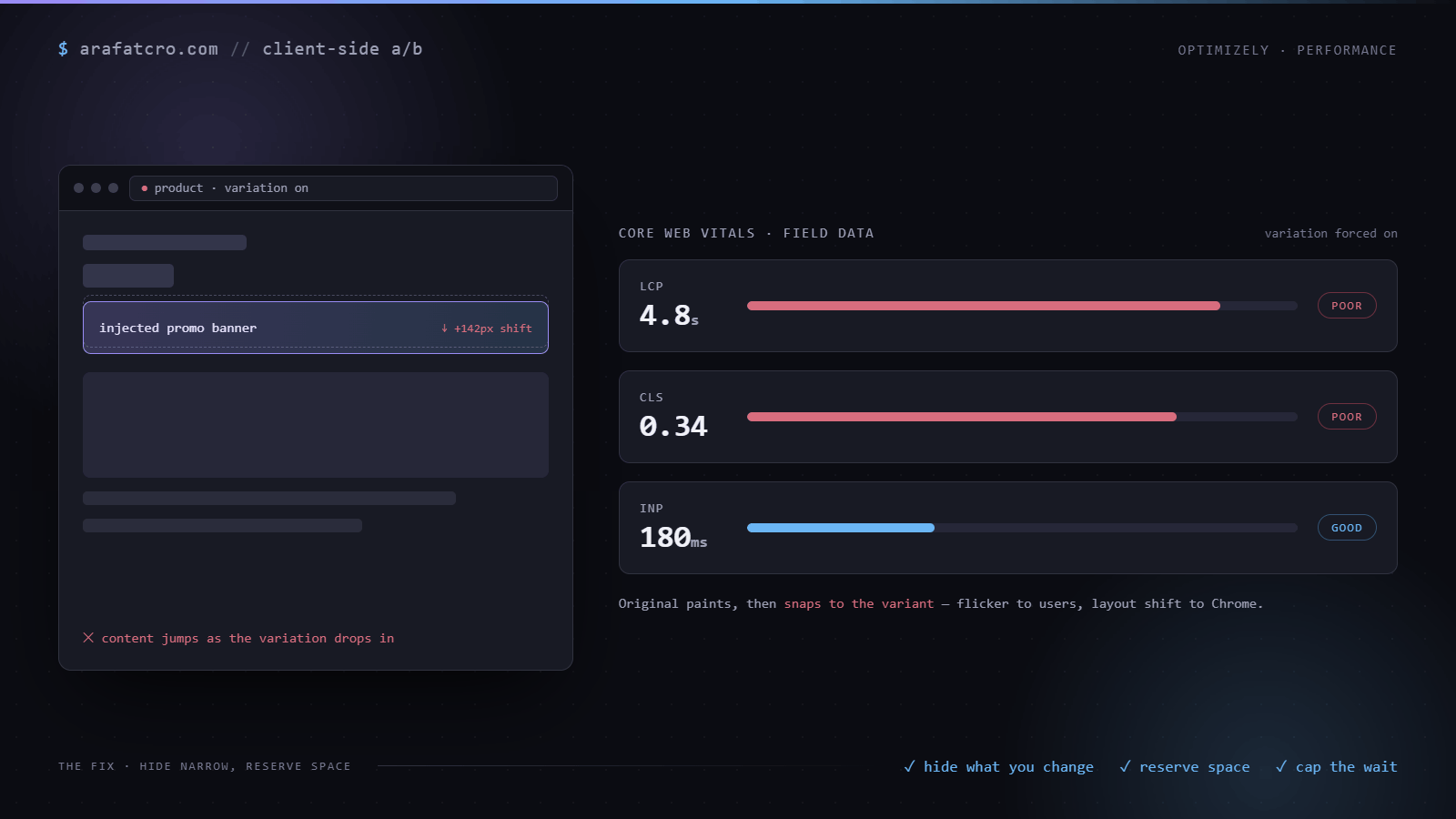
The symptom
Two things usually show up. The page paints the original, then snaps to your version, which users read as a flicker and Chrome reads as layout shift. Or the whole page is held invisible until your test runs, which hides the flash but pushes out the largest paint, so LCP gets worse for everyone in the test.
Why the easy fixes backfire
The blunt cure for flicker is to hide the entire page until the experiment applies. It works, and it holds the most important paint hostage to your script and a timeout. Meanwhile any element you inject that does not reserve space shoves everything below it down the moment it appears, and that shove is exactly what CLS measures. So the two reflexes, hide everything and inject freely, are the two things hurting your scores.
The fix: hide narrow in the head, reveal on apply
The hide has to land before the browser paints, which means it belongs in the head snippet that runs ahead of the body, not in the variation code that runs later. By the time your variation runs, the target has already painted, so hiding it then is too late to stop the flash. Hide only the element you are about to change, never the whole document, so the rest of the page paints on time and only your target waits. Reserve its space with visibility or a held height rather than display none, so revealing it shifts nothing. And cap the hide, so a slow apply reveals the element instead of hiding it forever. The head snippet sits outside your test tool, so it works the same in Optimizely, VWO, Convert, or Adobe Target.
// In the head, synchronously, before the body renders
<style>html.exp-hide [data-exp-target] { visibility: hidden; }</style>
<script>
  document.documentElement.classList.add("exp-hide");
  // Reveal after a cap so a slow apply never hides forever. Keep the cap at or
  // above your apply path, and accept that a slow tail reveals then applies.
  setTimeout(function () {
    document.documentElement.classList.remove("exp-hide");
  }, 2000);
</script>
The variation runs later, and its only job here is to take the hide off once it has actually applied the change:
waitForElement('[data-exp-target]').then((el) => {
  // apply the variation here
  document.documentElement.classList.remove("exp-hide");
});
Measure it with the test on
Run Lighthouse or the Web Vitals overlay with the variation forced on, not just the control. A change that feels instant on your laptop can still cost real CLS on a slower phone, and that phone is a big part of your traffic.
How this played out on a real build
A Screwfix promo test made the risk concrete. It injected a brand banner after the price on product pages and a takeover tile into the results grid. Drop any of those into a live page without planning for the space, and everything below jumps. That is CLS in its purest form.
The fix was to treat the space as part of the design, not an afterthought: reserve room for the banner so the grid settles once instead of twice, and never hold the whole page back waiting on it. On a Next.js listing that updates constantly, getting that wrong shows up in the field data fast.
What test code hurts which vital, and the fix
| What the test does | Vital it hurts | Fix |
|---|---|---|
| Injects an element above existing content | CLS | Reserve the space before it lands so nothing below jumps, and avoid moving above-the-fold content after paint |
| Whole-page anti-flicker hide | LCP | Scope the hide to the element you change, so the largest paint is not held behind your script |
| Heavy synchronous work on load | INP / TBT | Defer non-critical work and run only what the visible variation needs, so the main thread stays free |
| Render-blocking test library | LCP | Load the library with async or defer so paint is not waiting on it |
Common questions
Does A/B testing hurt Core Web Vitals?
It can, but it does not have to. The damage comes from how the test runs, not the fact that you are testing. Injecting or moving content above the fold hurts CLS. A whole-page hide or a render-blocking library delays the largest paint and hurts LCP. Heavy synchronous work on load hurts INP. Scope the hide, reserve space, defer the heavy work, and load the library without blocking render, and a test can run with no measurable cost.
How do I stop my A/B test from causing layout shift?
Reserve the space before the element lands. If your variation injects a banner above existing content, give that slot a height up front so nothing below it jumps. If you must hide an element while you change it, use visibility:hidden so it keeps its space rather than display:none, which collapses the layout.
Why does my A/B test slow down LCP?
Two common causes. A whole-page anti-flicker hide holds the largest paint behind your test script until it finishes. A render-blocking test library in the head pauses the parser before the browser can paint. Scope any hide to the element you change, and load the library asynchronously so paint is not waiting on it.
Why does my A/B test make the page feel sluggish to click?
Heavy synchronous work on load, like looping over the whole DOM or parsing a large payload, ties up the main thread. While it runs the page cannot respond to taps, which shows up as high INP in the field and high TBT in the lab. Defer non-critical work and run only what the visible variation needs.
How should I load my A/B test library so it doesn't block render?
Without blocking the parser. A synchronous script in the head stops the browser painting until it downloads and runs, which delays LCP for everyone. Use async or defer, and scope any prehide to the specific element you change rather than the whole page.
The short version
Flicker is something you fix in the head snippet, not in the variation code. Hide the element you touch before paint, reveal it the moment you have applied, reserve its space so nothing jumps, and prove the result by measuring with the variation forced on.